


Everyone asks about hooks, algorithms, and posting times.
Almost no one asks about the systems.
Instagram growth isn’t magic – it’s workflows. And workflows are powered by tools. Not shiny tools. Boring, reliable, occasionally surprising tools.
Here’s the exact stack I use to ideate, design, record, automate, and scale my Instagram channel.
Not sponsored. Not theoretical. Used daily.
1. ChatGPT – Ideation, Pattern Recognition, Channel Intelligence
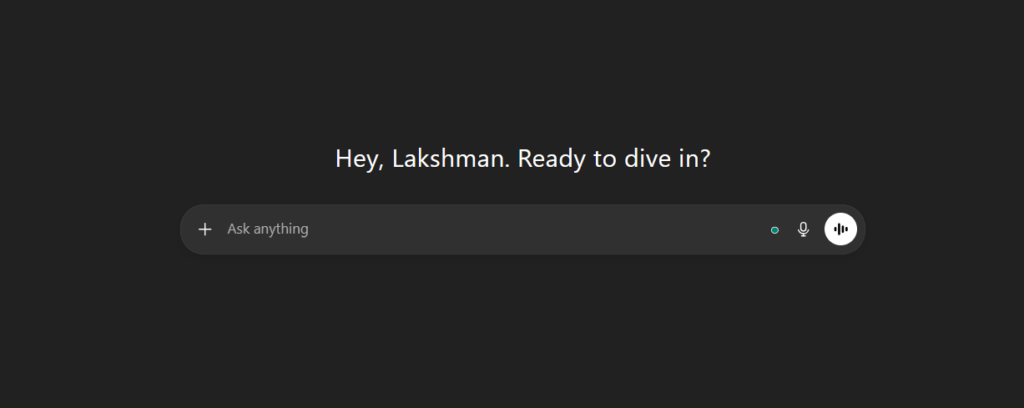
Most people use ChatGPT to write content.
That’s a mistake.
It isn’t very impressive at capturing:
- Personal charisma
- Cultural nuance
- Creator voice
But it’s excellent at:
- Stress-testing ideas
- Finding angles you didn’t consider
- Analyzing patterns across your content
- Turning messy thoughts into structured inputs
I treat it like a strategist, not a writer.
Sometimes it surprises you. Often it doesn’t.
Either way – don’t ignore it, just don’t worship it.
Pricing
I am happy with the free plan offering GPT 5.2 but if you are in India you can get ChatGPT Go for one year Free. I am looking to upgrade to Plus since it is becoming a part of my daily workflow and the image capabilities are getting better.
Plust Costs $20 per month.
2. Lovart AI – Editable Designs That Don’t Feel Like AI Slop
This is my go-to for:
- Images
- Posters
- Visual assets
The key difference?
Editable output.
Unlike most AI image tools that spit out dead images, Lovart gives you assets you can actually tweak. That alone makes it usable in a real workflow.
Details that matter:
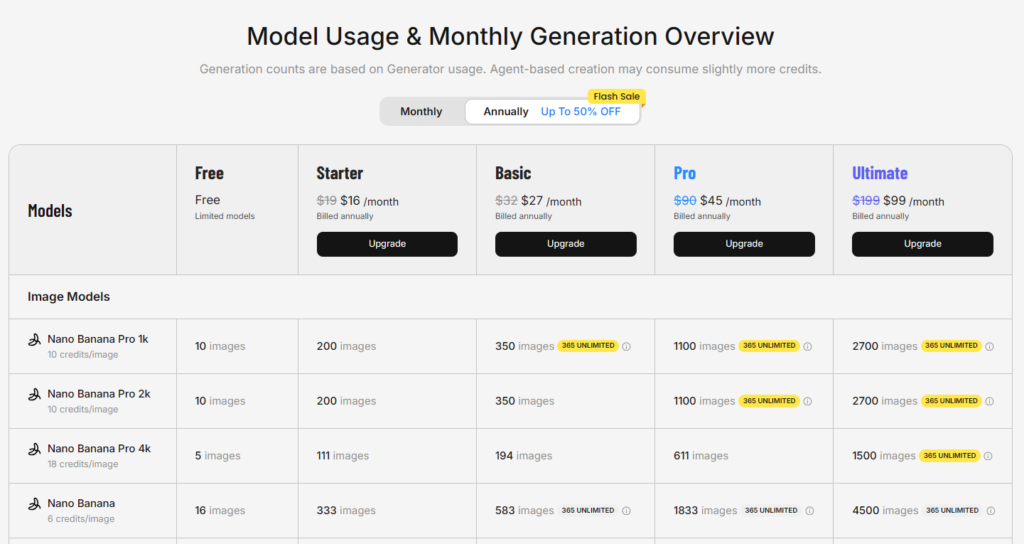
- Uses Nano Banana Pro under the hood
- 100 free credits per day
- Perfect for creators who don’t want to start from a blank canvas
If you design at scale, this saves hours.
3. Krea AI – Stock Visuals on Steroids
Krea is where I go when I need:
- Hyper-realistic visuals
- Stylized illustrations
- “This would never exist on Shutterstock” imagery
I use it to simulate real-world emotions and situations.
Example:
- An office worker with a completely red face to exaggerate anger
- Abstract visuals that show stress, confusion, or urgency
It’s not just image generation – it’s visual storytelling.
4. Dadan.io – 9:16 Recording + My Content Repurposing Engine
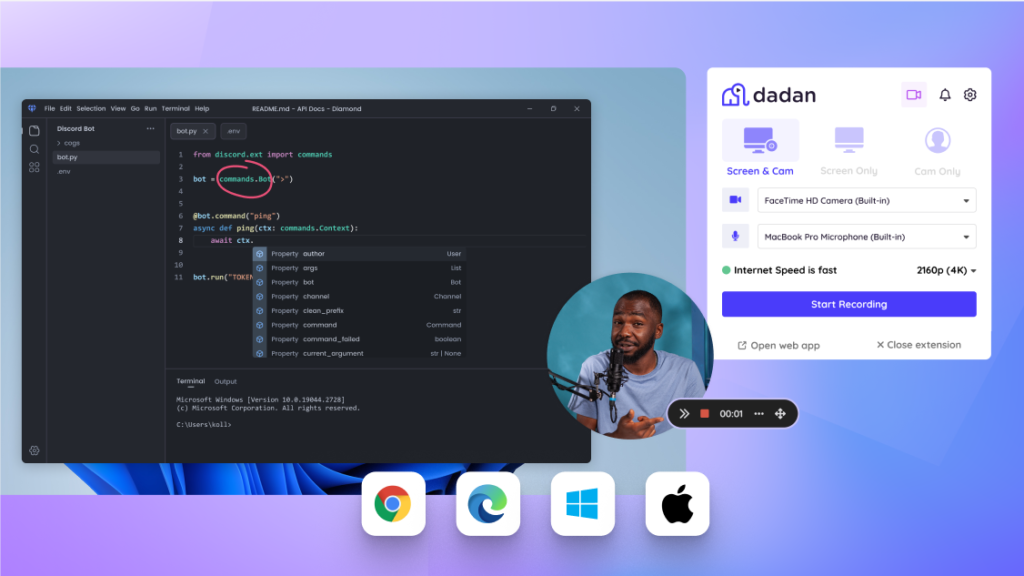
Dadan does one thing extremely well:
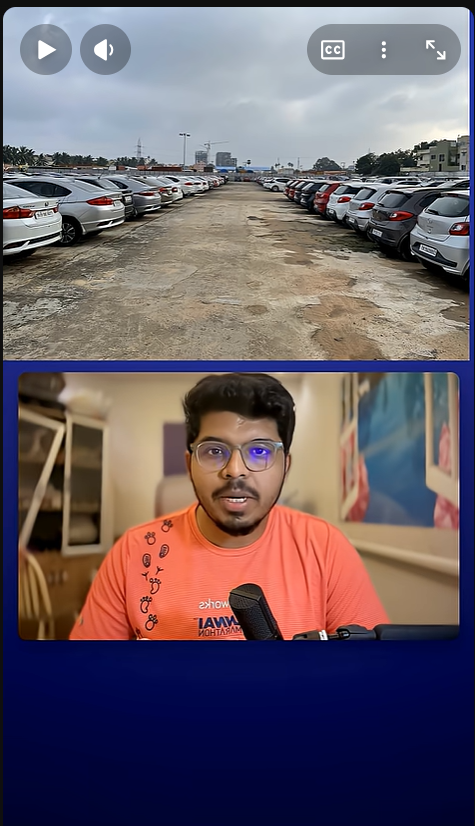
- Record vertical (9:16) videos online with screen share (like below ones)
I call it the art of 16:9 in 9:16. using a landscape camera feed and the above space to add text/stock visuals
But here’s the real play.
My workflow:
- Record raw content on Dadan
- Generate transcripts
- Feed transcripts into ChatGPT
- Convert videos into:
- Blogs
- LinkedIn posts
- Captions
One recording → multiple platforms.
This alone multiplied my output without multiplying effort.
Pricing starts at $8 per month. They have a 14 day free trial policy.
5. Filmora – Audio Cleanup, LUTs, and Muscle Memory
I’ve used Filmora since 2015.
At this point, switching tools would cost more time than it saves.
What I use it for:
- AI audio cleanup
- Presets + LUTs matched to different t-shirts I wear
- Minor sound effects using their newer AI features
Is it the “best” editor? Debatable.
Is it the fastest for me? Absolutely.
Speed beats novelty.
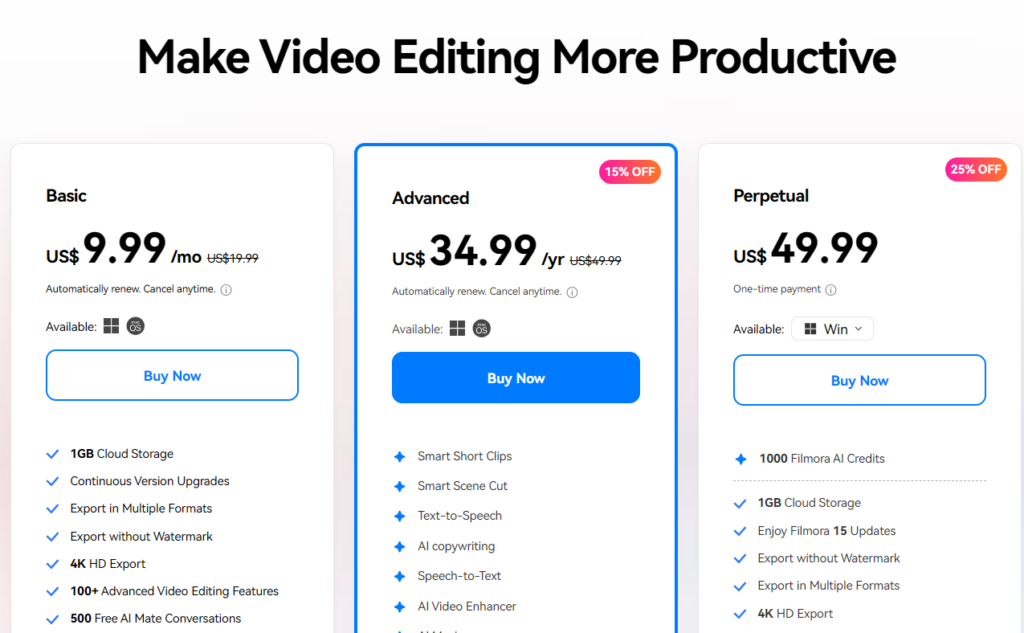
Pricing You can get filmora Perpetual license for $50 But this will apply only to current version. I buy it every 2 to 3 years to upgrade versions.
6. ManyChat – DM Automation That Actually Converts
If you’re serious about Instagram growth, DMs are not optional. High chances you are here because you commented on my post and received this blog link.
ManyChat runs:
- Keyword-based automations
- Lead delivery
- Conversation flows
It lets me:
- Engage without being glued to my phone
- Turn comments into conversations
- Scale attention without burning out
Manual DMs don’t scale. Systems do.
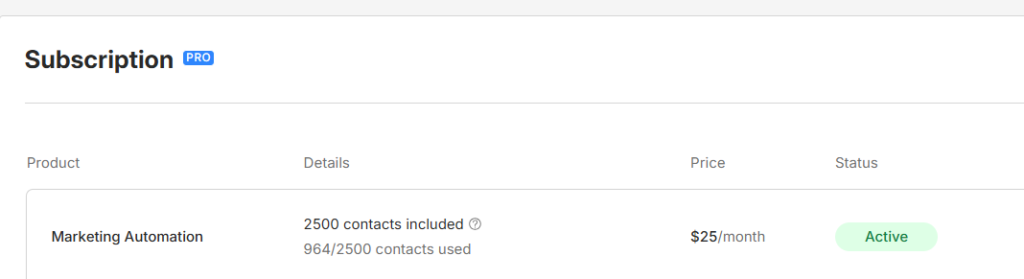
Pricing $25 a month
7. Canva AI – The Backbone of My Carousel Content
Hot take:
Canva is underrated by people who overthink design.
I use Canva AI for:
- All my carousel posts
- Guides
- Visual frameworks
My Instagram Growth Guide?
Designed entirely in Canva AI.
Why it works:
- Fast
- Collaborative
- Good enough to ship
- Flexible enough to iterate
Perfection is the enemy of posting.
Special Mention: WhatsApp (Yes, Really)
I have a WhatsApp chat with just myself.
Every idea goes there:
- Video hooks
- Observations
- Random thoughts
- Half-baked angles
It’s my:
- Idea inbox
- Creative scratchpad
- Zero-friction capture system
The best tool is the one you’ll actually use when inspiration hits.
Final Thought
Tools don’t make creators.
Workflows do.
This stack isn’t about being fancy – it’s about removing friction:
- From idea → execution
- From content → distribution
- From effort → leverage
Use fewer tools. Use them better.
And let systems do the heavy lifting.
If you love such content, consider subscribing to my newsletter The Execution Log to receive weekly updates to your inbox.
